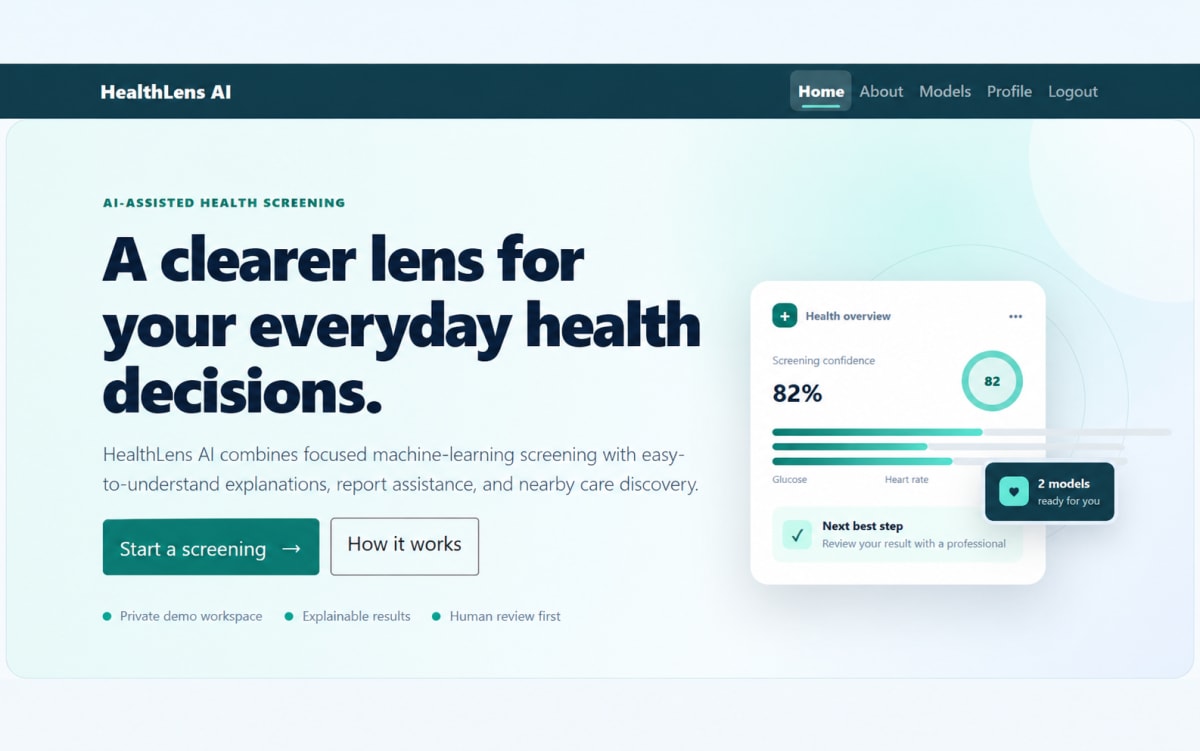
HealthLens AI | AI-Powered Health Risk Screening
Explore HealthLens AI, an educational AI and machine-learning application for diabetes and heart disease risk screening, AI-assisted report analysis, and healthcare discovery.
Project overview
What this project is about.
HealthLens AI is an educational healthcare application developed to demonstrate the practical use of artificial intelligence and machine learning for health-risk screening.
The application provides machine-learning models for diabetes and heart disease risk assessment. Users can enter health-related information through validated forms and receive a prediction probability, risk category, visual report, and general educational recommendations.
The application also includes AI-assisted medical report analysis using Google Gemini. Users can upload supported PDF or image-based reports, allowing the system to extract relevant health values and prefill applicable prediction fields. Extracted information can be reviewed and corrected by the user before completing an assessment.
Logged-in users can maintain their prediction history, download prediction reports, and manage previously generated records. The application can also use browser-based location access to help users find nearby healthcare facilities through OpenStreetMap, with optional Google Places integration for additional facility information.
HealthLens AI is designed for academic demonstration, machine-learning exploration, and healthcare technology awareness. It does not provide medical diagnosis, treatment, or professional medical advice.
Who it is for
Usage and use case
- 1. Create an account or log in to the application.
- 2. Open the Models section.
- 3. Select Diabetes or Heart Disease assessment.
- 4. Enter the required health information through the validated form.
- 5. Alternatively, upload a supported medical report from the Profile section.
- 6. Use the AI-assisted analysis feature to extract relevant values from the uploaded report.
- 7. Review and correct the extracted values before continuing.
- 8. Submit the assessment for machine-learning prediction.
- 9. View the prediction probability, risk category, visual results, and educational recommendations.
- 10. Download the generated prediction report when required.
- 11. View previously generated predictions through prediction history.
- 12. Delete prediction records when they are no longer required.
- 13. Allow browser location access to search for nearby healthcare facilities.
Built with
Technology stack
- Python
- Django
- TensorFlow
- Keras
- Scikit-learn
- Joblib
- Pandas
- NumPy
- Google Gemini API
- Google GenAI Python SDK
- OpenStreetMap Overpass API
- Open-Meteo API
- Google Places API
- SQLite
- HTML5
- CSS3
- Bootstrap
- Vanilla JavaScript
- WhiteNoise
- Git
What you get
Key features
- User authentication & profiles
- Diabetes risk prediction
- Heart disease risk prediction
- ML-based risk scoring
- Visual prediction reports
- Prediction history management
- Medical report upload
- Gemini AI report analysis
- Automatic health data extraction
- AI-generated explanations
- Nearby healthcare search
- Downloadable prediction reports
- Responsive user interface
Before you start
Requirements
Python 3.10+
Django
TensorFlow & Keras
Scikit-learn
Pandas & NumPy
Google Gemini API
Modern web browser
Internet connection
Gemini API key
Optional extras
Boost your project
Optional extras to help you document, present and understand your work. Mention the ones you like when you enquire.
-
Popular Documentation support Submission-ready project report. - Full project report (PDF and Word)
- Setup guide and README
- Diagrams and screenshots
-
Presentation support Slides ready for your review. - Slide deck of 12 to 15 slides
- Speaker notes
- Demo walkthrough script
-
Publication support Guidance to turn it into a paper. - Paper structure and abstract
- Journal and format guidance
- Reference and plagiarism-check help
-
1:1 mentorship Live help from a mentor. - 45-minute video call
- Code walkthrough
- Viva question practice
How do I get a project?
Open the project you like and use the button on its page. If online payment is available you can pay and choose how you want to receive it. Otherwise send us a short enquiry and we will reply on WhatsApp or email.
Can a project be changed to fit my requirements?
Yes. Describe the changes you need when you enquire, and we confirm the scope and the price before any work starts.
Are add-ons available?
Many projects have optional add-ons such as documentation or presentation support. They are listed on the project page with their prices, and you can pick them when you buy or enquire.
How will I receive my order?
You choose email, WhatsApp or a Google Drive link. The delivery time is shown on the project page and in your confirmation email.
Is there a demo?
Projects with a demo video have a play button on their page. If you want to see something specific, ask us and we will tell you what we can show.
Can I get a refund?
Projects are digital, so payments are generally not refundable. If something went wrong, send a refund request with your order reference and we review it fairly. The Refund Policy explains the details.