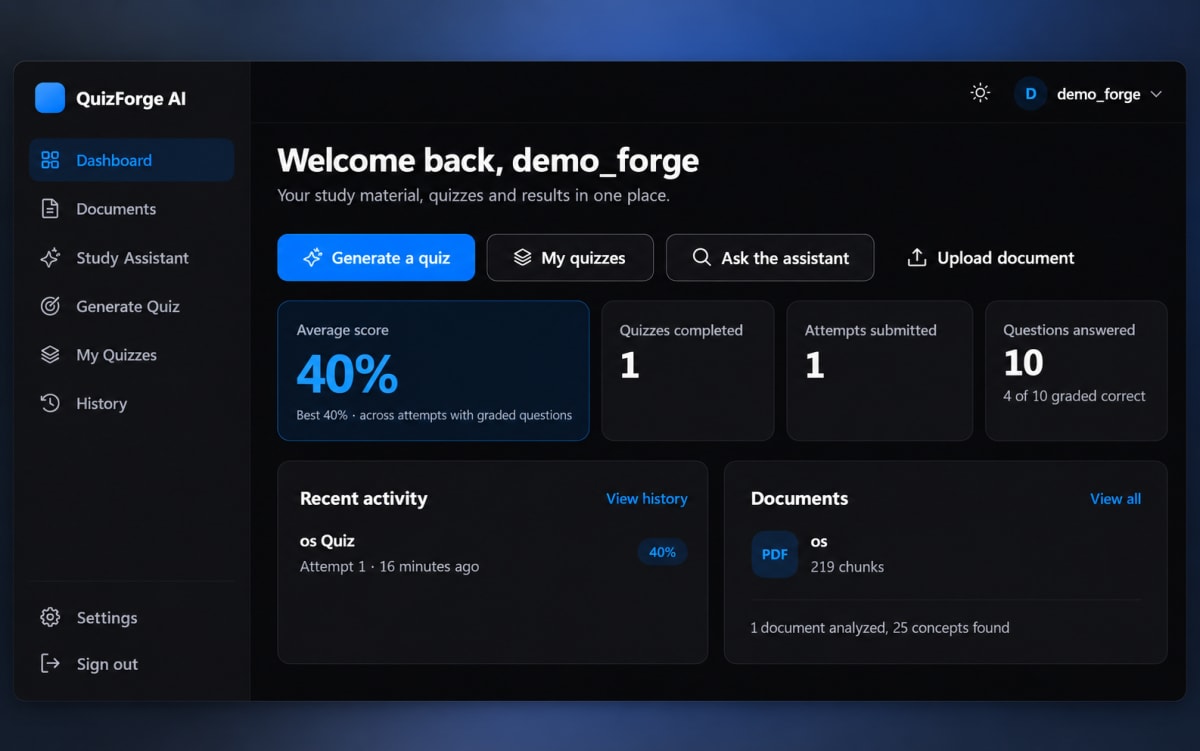
QuizForge AI – Intelligent Quiz Generation & Assessment Platform
AI-powered quiz platform that transforms study materials into interactive quizzes with automated assessment and analytics.
Project overview
What this project is about.
QuizForge AI is an intelligent quiz generation and assessment platform designed to help students prepare for exams more effectively.
The platform allows users to upload their study materials in formats such as PDF, DOCX, and TXT. QuizForge AI processes the uploaded content using Natural Language Processing (NLP) techniques to understand the important concepts, keywords, sentences, and topics present in the material.
The system then uses semantic search and locally generated embeddings to find the most relevant information from the uploaded study material. This information is provided as grounded context to an AI language model through the Groq API.
Based on the selected topic, difficulty level, question count, and question types, QuizForge AI can generate different types of questions such as Multiple Choice Questions (MCQs), True/False, Fill in the Blank, Short Answer, and Definition/Concept questions.
Before questions are added to a quiz, they pass through a validation system that checks their structure, quality, relevance to the source material, and similarity to existing questions. This helps reduce invalid, irrelevant, or duplicate questions.
Students can then take the generated quizzes through the interactive quiz interface. The system saves their answers, calculates scores for automatically gradable questions, and provides detailed results after submission.
QuizForge AI also provides history and analytics so users can view previous attempts, scores, accuracy, completed quizzes, and performance trends.
The project demonstrates how document processing, NLP, semantic search, embeddings, retrieval-augmented generation, LLMs, question validation, assessment, and analytics can be combined into a practical AI-powered educational application.
Key features
- Document upload and processing
- PDF, DOCX, and TXT support
- Automatic text extraction and cleaning
- Document chunking
- Natural Language Processing
- Concept and keyword extraction
- TF-IDF based concept ranking
- Semantic embeddings
- Local semantic search
- Grounded AI Study Assistant
- Groq LLM integration
- Multiple question types
- MCQ question generation
- True/False question generation
- Fill in the Blank questions
- Short Answer questions
- Definition/Concept questions
- Easy, Medium, and Hard difficulty levels
- AI-generated question validation
- Source-grounding validation
- Duplicate question detection
- Automatic quiz assembly
- Quiz attempt management
- Answer persistence
- Automatic scoring
- Quiz results and review
- Attempt history
- Performance analytics
- Dashboard statistics
- Responsive web interface
- Light and dark themes
- JWT authentication
- User-specific data isolation
Technology stack
PythonDjangoDjango REST FrameworkDjango Simple JWTHTML5CSS3JavaScriptSQLitespaCyNLTKscikit-learnSentence Transformersall-MiniLM-L6-v2ChromaDBGroq APIPyMuPDFpython-docxChart.jsGitGitHub
Usage and use case
1. Create an account or log in to QuizForge AI.
2. Upload your study material in PDF, DOCX, or TXT format.
3. Allow the system to extract and process the content from the uploaded document.
4. Run NLP analysis to identify important concepts and keywords from the study material.
5. Build the semantic search index for the processed document.
6. Search the uploaded material to find relevant study content when required.
7. Open the Generate Quiz section and select the required document or topic.
8. Choose the number of questions, question types, and difficulty level.
9. Generate a quiz using the AI-powered question generation system.
10. Review the generated quiz and start an attempt.
11. Answer the questions and submit the quiz.
12. View your score, accuracy, correct answers, incorrect answers, unanswered questions, and ungraded questions.
13. Check your previous quiz attempts through the History section.
14. Use the Dashboard to view overall quiz performance, completed quizzes, attempts, answered questions, and performance analytics.
15. Use the Study Assistant to ask questions based on the indexed study material and receive grounded answers with relevant sources.
Requirements
Python 3.12 or higher
Django 5.x
Django REST Framework
SQLite
Groq API key
Local all-MiniLM-L6-v2 embedding model
spaCy English language model
NLTK stopwords data
PDF/DOCX/TXT study materials
Modern web browser
Project add-ons
Additional add-ons for this project.
Ask about project-specific add-ons through the ProjectVybe enquiry channel.
Documentation support
Create clear, well-structured project documentation covering implementation, technologies, features, methodology, and project outcomes.
Presentation support
Prepare professional project presentations that clearly explain your project idea, workflow, technologies, implementation, results, and key highlights.
Publication support
Get guidance in preparing and structuring project work for technical papers, research publications, and academic submission requirements.
1:1 mentorship
Get personalized guidance from project planning and technology selection to implementation, debugging, documentation, and final presentation.
Frequently asked questions
Questions about this project.
How can I ask about this project?
Use the enquiry button to share the project context and the kind of support you are looking for. ProjectVybe will review the enquiry and respond directly.
Is a demo available?
A YouTube demo has not been added for this project yet.
Can I request changes or additional support?
Yes. Describe your requested changes or learning goals in an enquiry so the ProjectVybe team can review them.
Are project add-ons available?
The available project add-ons are listed above and can be selected when you send an enquiry. Add-ons are enquiry-based; no online checkout or public pricing is provided.
How do I get started?
Review the project information, then use the enquiry button to send the details you would like to discuss.
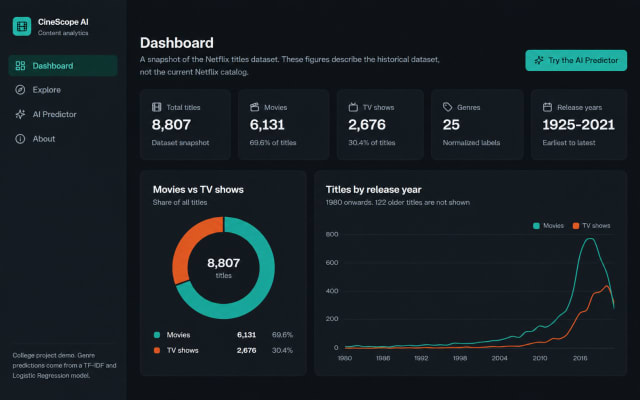
CineScope AI – Intelligent Streaming Content Analytics & Genre Prediction System
AI-powered streaming content analytics system for exploring titles and predicting genres from descriptions using machine learning.
View project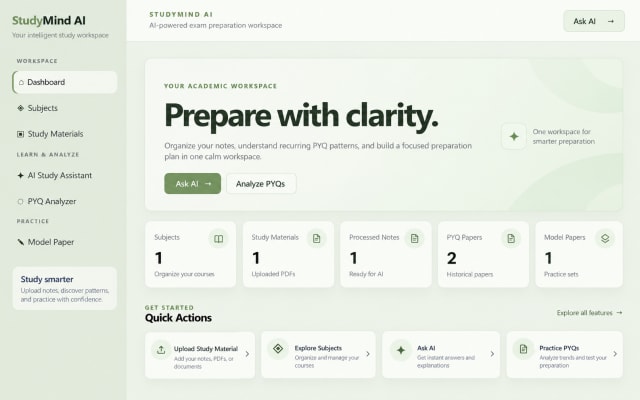
StudyMind AI — An intelligent platform for personalized exam preparation.
AI-powered exam preparation platform that organizes notes, analyzes PYQs, and generates personalized practice papers intelligently.
View project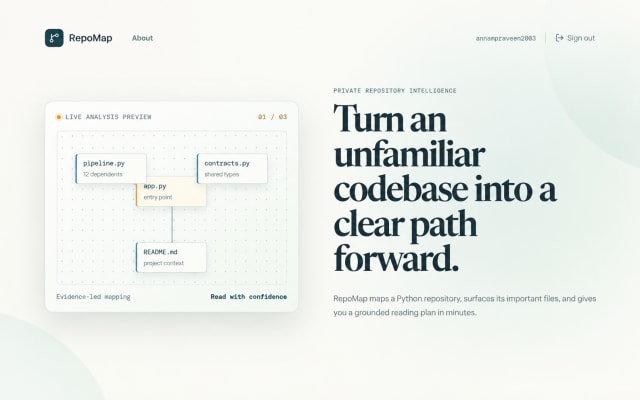
RepoMap - Python Repository Intelligence & Codebase Analysis Platform
Map Python repositories into evidence-based onboarding guides, dependency graphs, histories, and PDF reports.
View projectBuild. Learn. Grow.
Ready to discuss this project?
Send ProjectVybe the project context you are exploring, or continue browsing the published catalogue.